This article explains how to cancel a service, what to expect regarding refunds or account credits, and how proration works for mid-cycle changes. Some details vary by plan and Terms. If something looks unclear, open a ticket and we’ll advise for your specific account.
 How to request a cancellation
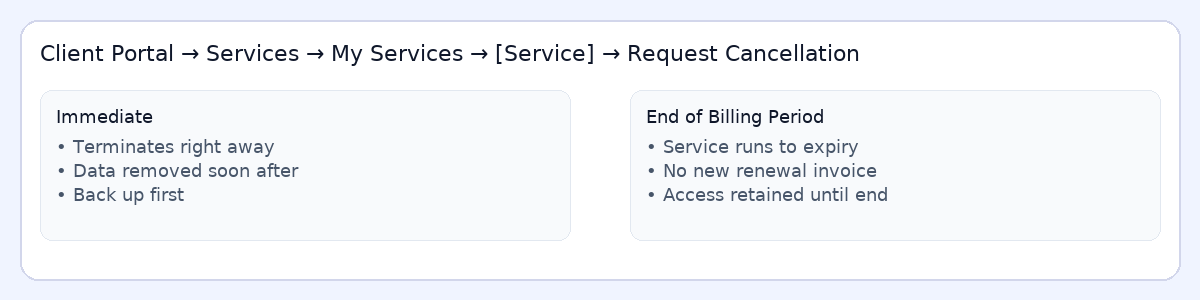
- Log in at
https://secure.gaugehosting.com/clientarea.php. - Go to Services → My Services, click the service, then choose Request Cancellation.
- Pick one: Immediate or End of Billing Period (details below).
- Optional: add a brief reason so we can help or improve.
 Backup first: For Immediate cancellations, data may be removed shortly after termination. Download site files, databases, and email you wish to keep.
Immediate vs End of Billing Period
- Immediate: service is terminated now; access ends and data may be removed soon.
- End of Billing Period: service stays active until the current term ends; no renewal invoice is generated.
 Refunds & credits (high-level)
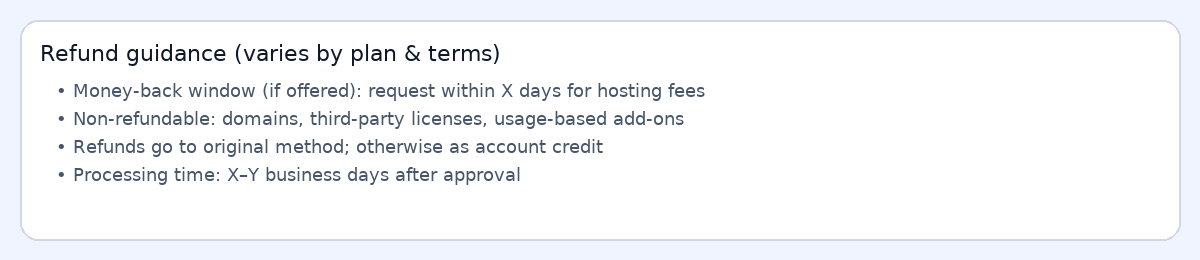
- Money-back window (if offered): Request within the stated window for hosting fees. (Varies by plan; some items excluded.)
- Non-refundable items: Domain registrations/transfers, third-party licenses, usage-based add-ons, and setup fees are typically non-refundable.
- Method: Approved refunds are usually returned to the original payment method; in some cases, account credit is applied instead.
- Timing: Refund processing may take X–Y business days after approval (payment processor dependent).
 Heads-up: Canceling does not automatically cancel external subscriptions like PayPal Billing Agreements. If you used a subscription, cancel it in PayPal to stop further automatic payments.
 How proration works (upgrades/downgrades mid-cycle)
When you change plans mid-cycle, WHMCS typically calculates a credit for unused time on your old plan and a charge for the remaining time on your new plan. You’ll receive a prorated invoice or credit memo accordingly.
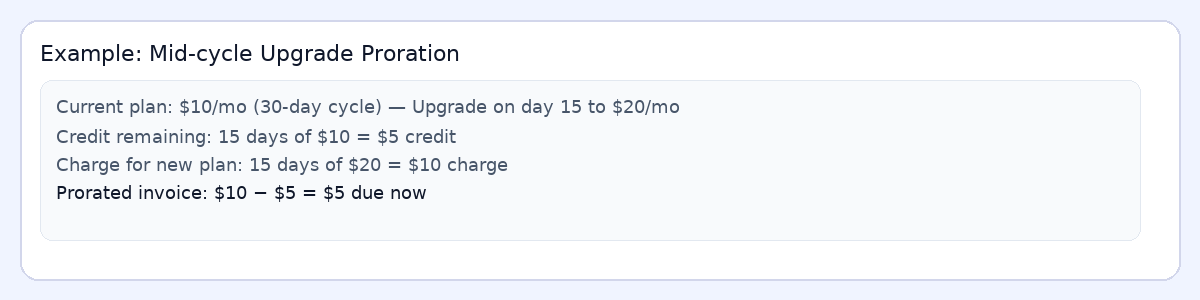
- Upgrades: Usually produce a small invoice due now (charge minus credit).
- Downgrades: Often create an account credit applied to future invoices (timing depends on configuration).
- Add-ons: Add/remove mid-cycle charges/credits similarly.
Before you cancel
- Take backups: Download site files, databases, and any email you need to retain.
- Domains & SSL: Domain registrations and many SSLs are non-refundable. Ensure DNS/website will continue to resolve elsewhere before termination.
- Open a ticket if unsure: We’ll review your account and advise on the best timing (end-of-term vs immediate) and any credits you might expect.